

Navigating with Google Maps without online? Easily!
14.12.15 36,135
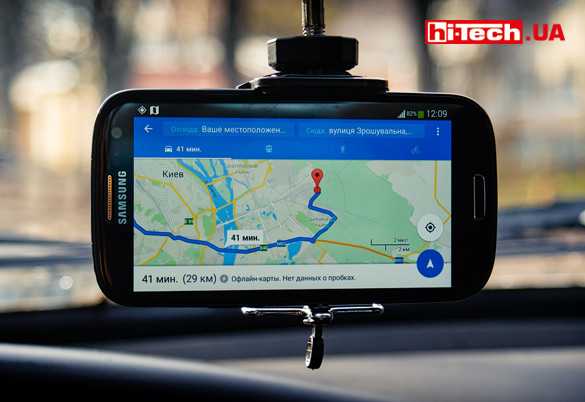
In one of the recent updates, the Google Maps application for Android received a number of new features related to working without access to the Internet. Let’s see what offline capabilities Google Maps now has.
Announced in May at the Google Developer Conference I/ O 2015The ability to fully work with the Google Maps application without access to the Internet was truly a surprise. This includes address search, POI search, planning, and changing routes. The functions are really useful, but few people expected such a step from such a progressive and Internet-oriented company.
(Fragment about Google Maps at the presentation start at 1:24:08)
About six months have passed, and now all the promised offline functions can be used in the current version of the Google Maps application for Android.
Offline navigation and working with Google Maps without the Internet may be necessary when access to the World Wide Web may be difficult in a particular place, it is unprofitable to use the Internet while roaming, or for other reasons.
Any suggestions?
At the moment there are many applications, including free ones (for example Maps.Me), focused on using maps without access to the Internet, but we definitely welcome the emergence of new offline functions of Google Maps. The user has a wider choice of suitable solutions.
There have been some solutions related to the offline operation of Google Maps before. For example, the ability to download a selected area on a map has been available for several years. At first this feature was present in the experimental development section, but later became available in normal mode.
But until recently, the value of offline use of the Google Maps mobile application was very small, because it was impossible to perform an address search, find the establishment of interest by request in the search bar, or build a route to the desired place. Now a lot has changed.
Let us note the main functions of the Google Maps application for Android related to working without access to the Internet:
- downloading a selected area on the map for offline access (the option existed before);
- address search, search for establishments, companies, ATMs, gas stations, etc. (POI);
- view a brief description, operating mode, contact information (if specified), ratings from users of the object of interest;
- routing and measuring the distance between points;
- navigation mode along the selected route with automatic adjustment of the route in case of deviation.
How to use these offline features?
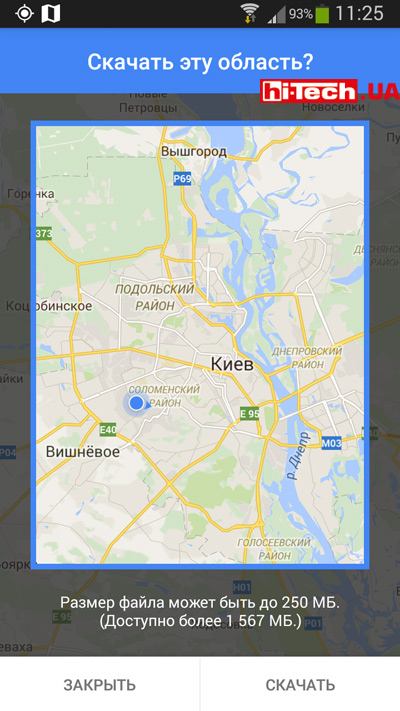
First, you need to first download the area of interest on the map. Address search, POI search, route planning, etc. without the Internet will work in this downloaded area. You will not be able, for example, to search for ATMs in Dnepropetrovsk if you have only downloaded the section of the map with Kiev.
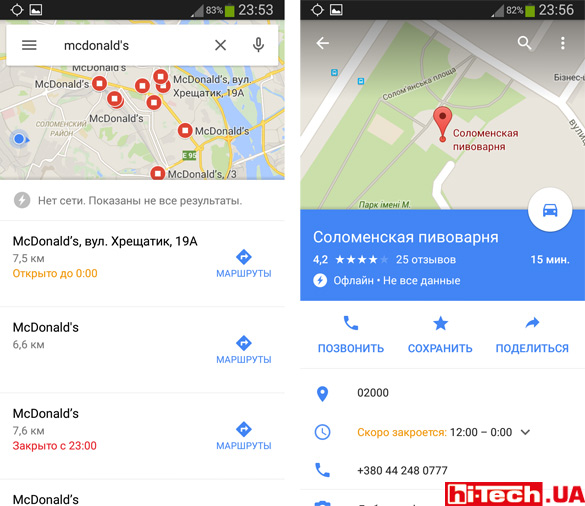
Without Internet access, with the Google Maps application you can not only perform an address search or POI search, but also view various information about objects of interest and user ratings
And then you can use Google Maps without the Internet, as if you were working normally. Please note that the detail of downloaded maps for offline access will be more modest.
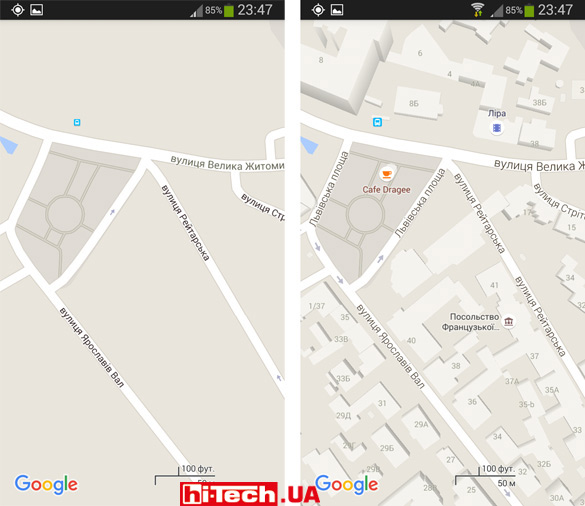
The map for offline access of the Google Maps application is noticeably less detailed
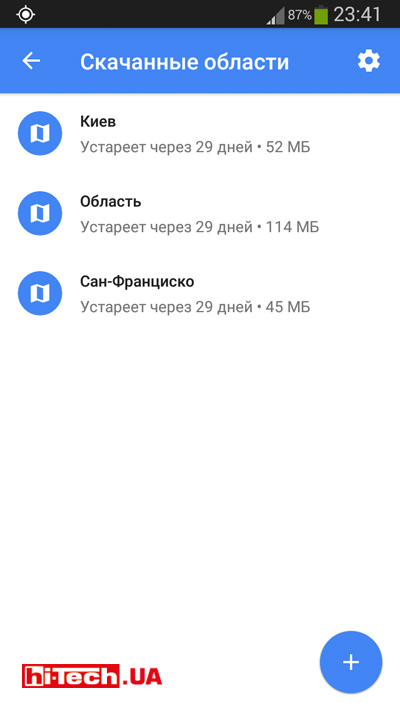
When selecting an area to download, the program first estimates how much data this area can occupy. Note that the application overestimates the estimated volume, and greatly. For example, having chosen the area covering Kyiv, instead of the stated 250 MB, the downloaded map took only 52 MB.
The list of sections uploaded for offline access is located in a separate menu item. You can update data or delete unnecessary areas.
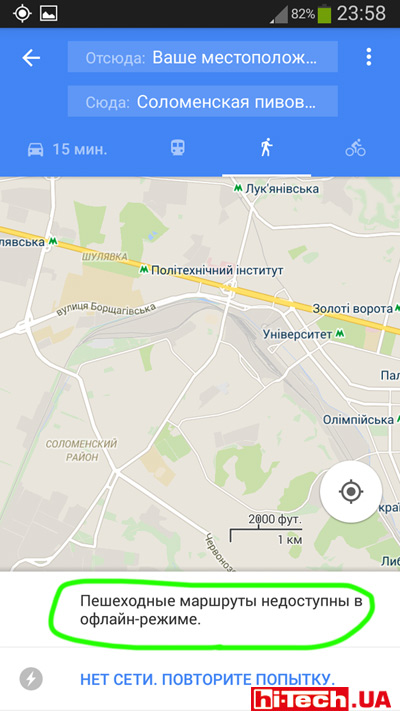
If the downloaded area includes several settlements, there are no restrictions for building routes between these settlements. By the way, with offline access only car routes are used.
The quality of the routes laid is very high. Thanks to the advanced algorithms used in Google Maps for this.
The navigation mode itself along the selected route is quite convenient. The most necessary settings and functions are there, but, of course, there are special applications for car GPS navigation, such as Navitel Navigator, iGO, will be noticeably more advanced in this regard.
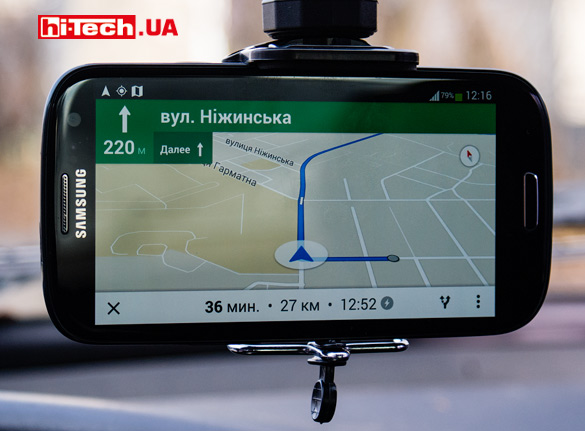
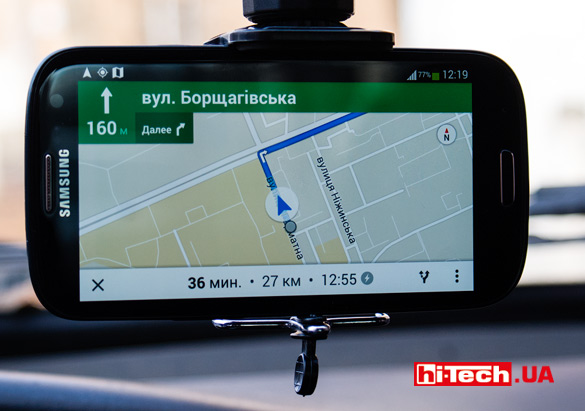
The voice assistant is not available, at least it didn’t work for me: the user is informed about approaching a turn or changing route with a special sound signal.
We’re very excited about the new offline features added to Google Maps. Now, even if you have difficulty accessing the Internet, the Google Maps application will still be very useful.

Don't miss interesting news
Subscribe to our channels and read announcements of high-tech news, tes






Samsung Galaxy Fold7: not a smartphone, not a tablet, something more
 0
0 
Samsung Galaxy Fold series of smartphones is notable for its folding design and large display. The new generation model had an even larger screen, advanced cameras, stronger hardware and improved ergonomics.
NVIDIA Blackwell – architecture with new capabilities for AI and content creation
0 
NVIDIA technologies that were previously only available to owners of professional graphics cards are now open to ordinary users. Let’s talk about the capabilities of the Blackwell architecture in the field of artificial intelligence and content creation.
Garmin Instinct Crossover – hybrid smartwatch costs $600 with AMOLED screen, flashlight and sapphire glass smart watches

Garmin Instinct Crossover has a 1.2-inch AMOLED display with RevoDrive analog hands covered with Super-LumiNova luminescent compound.
New EcoFlow with 288 Wh capacity weigh less than 3 kilograms accumulator

EcoFlow has introduced a new line of portable charging stations in Europe, the Trail series. This device has already been on sale in the US