

ASUS TUF Gaming B550M-Plus (Wi-Fi) motherboard review. Not cheap, but it worth
03.07.20 10,969
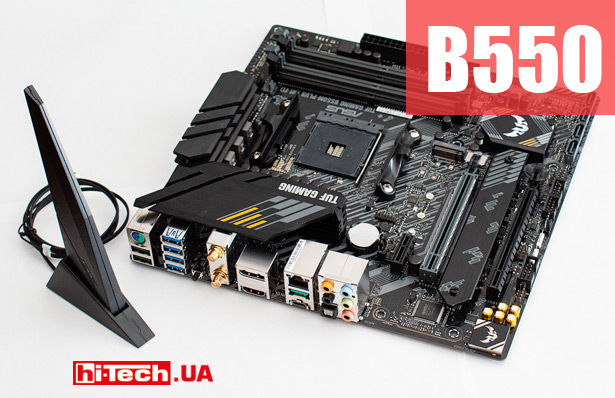
ASUS TUF Gaming B550M-Plus (Wi-Fi)
In our review, we take a look at the ASUS TUF Gaming B550M-Plus (Wi-Fi) motherboard based on the new AMD B550 chipset.
This model is identical to the more affordable ASUS TUF Gaming B550M-Plus, but is additionally equipped with a very advanced built-in Wi-Fi adapter.
Before describing the ASUS TUF Gaming B550M-Plus (Wi-Fi), I would like to say a few words about the B550 chipset itself.
Is the B550 better than the more advanced X570?
The first-born in the line of AMD 500 series chipsets was the top-end AMD X570. It was announced in May last year along with AMD Ryzen 3000 processors (Zen 2 architecture).
A year later, in May 2020, the company introduced the AMD B550 chipset. It is on this basis that the ASUS TUF Gaming B550M-Plus (Wi-Fi) board in question is based.
The B550 is positioned one step below the X570, and is somewhat reduced in functionality, butwe consider theB550 to be the preferable option for most users.

Block diagram of the platform based on the AMD X570 chipset and AMD Ryzen 3000 processors
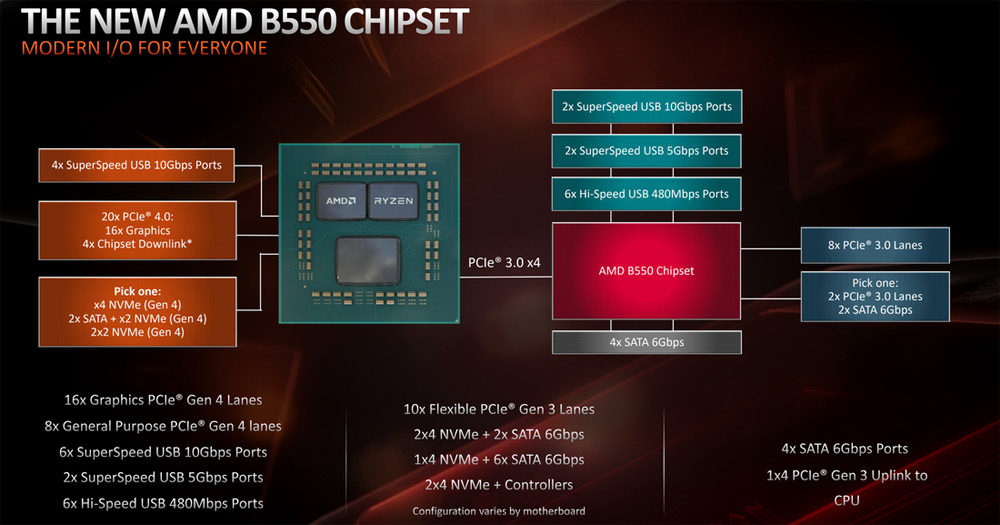
Block diagram of the platform based on the AMD B550 chipset and AMD Ryzen 3000 processors
The key difference between systems with X570 is that some of the PCIe 4.0 lanes are provided by the central processor, and some are provided by the X570 chipset itself.
In the case of the B550, the chipset does not have its own PCIe 4.0 lanes and only “processor” PCIe 4.0 lanes will be available.
This means that B550 motherboards will not allow you to install more than one NVMe M.2 drive with the latest PCIe 4.0 x4 interface.
At the same time, the B550 chipset also allows overclocking of both the processor and memory and allows you to build very cool systems.
In our opinion, for the vast majority of users, the additional features of the top-endX570 will simply be useless.
Moreover, the B550 has a number of advantages over its older brotherX570. Firstly, it is more affordable, and secondly, it has significantly lower power consumption and a conventional radiator is enough for heat removalwhile active cooling systems with a fan are installed on the X570 chipset.
Features of ASUS TUF Gaming B550M-Plus (Wi-Fi)
The TUF Gaming line, which includes the ASUS TUF Gaming B550M-Plus (Wi-Fi), roughly corresponds to the middle class in the ASUS motherboard hierarchy.
This model, as you might guess from the name, has a MicroATX form factor.
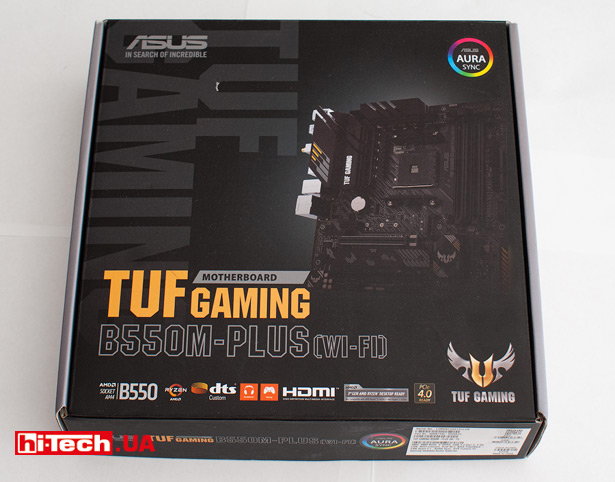
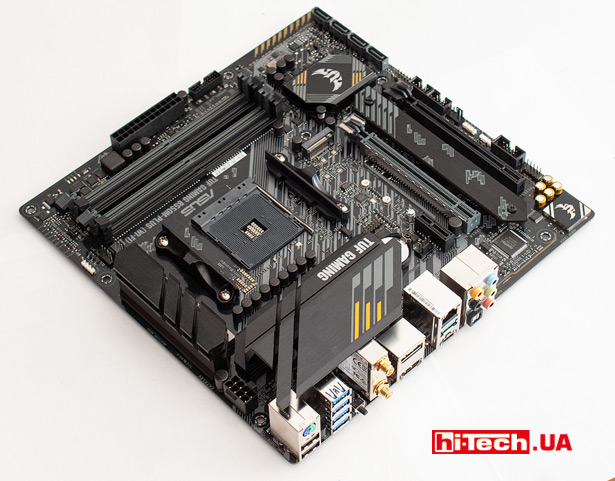

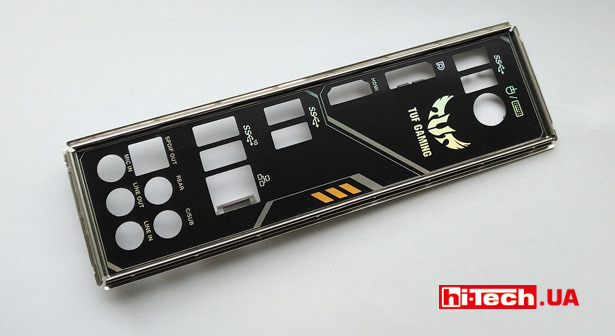
In addition to the documentation, a strip for the connector panel, by the way, black, two SATA cables, a screw for securing an M.2 SSD drive, the kit includes a set of TUF-design stickers and an ASUS 2×2 dual band W-Fi antenna.
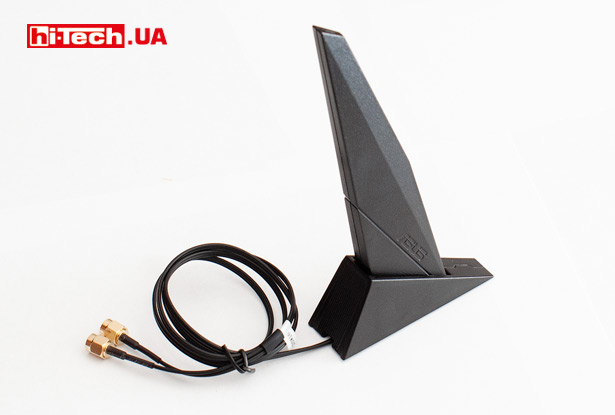
ASUS TUF Gaming B550M-Plus (Wi-Fi) comes with an external Wi-Fi antenna
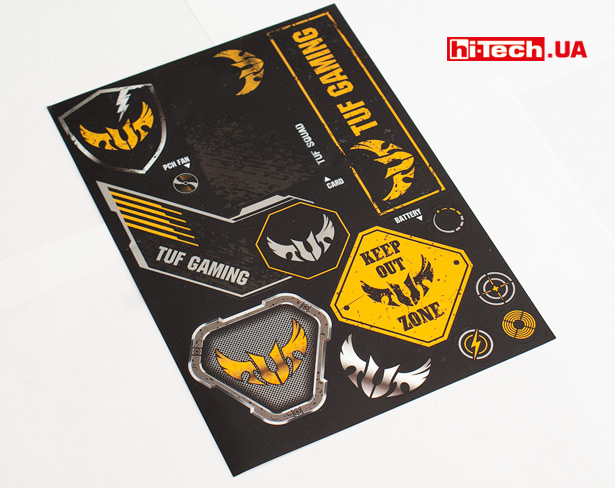
Set of ASUS TUF Gaming themed stickers
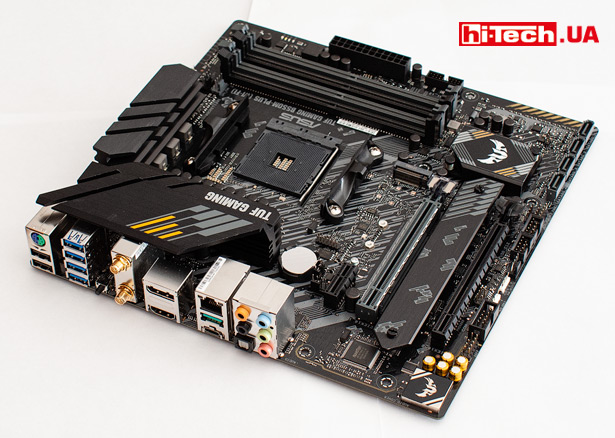
Despite its relatively small size, the board has good equipment.
The series of “regular” USB Type-A ports on the rear panel is complemented by the more modern USB Type-C 3.2 Gen 2.
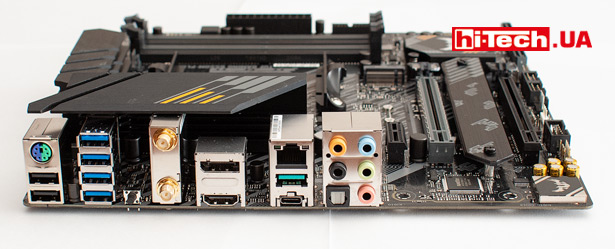
One of the notable details on the connector panel is the BIOS FlashBack button.
By inserting a flash drive into a specific USB port and pressing this button, the motherboard BIOS can be updated even without a processor and memory modules. Useful feature.
PCI expansion slots are represented by a set of PCIe 4.0 x16 for the graphics card (provided by the processor controller) and full-length PCIe 3.0 x16 (x4 mode), PCIe 3.0 x1, which are provided by the B550 chipset.
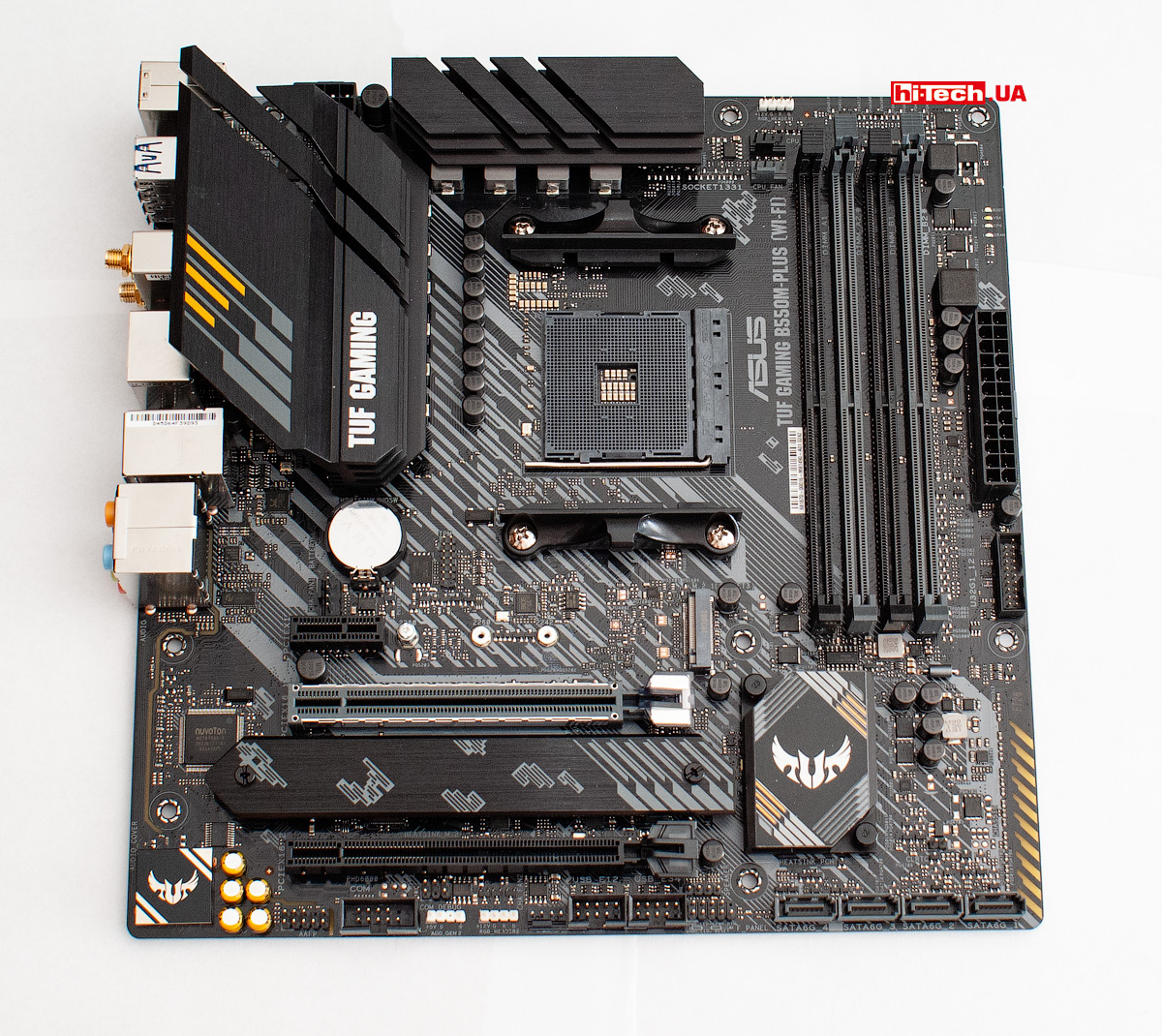
A metal insert designed to make the slot more physically durable. It is logically installed only on the first slot intended for a video card.
The ASUS TUF Gaming B550M-Plus (Wi-Fi) provides space for connecting two M.2 SSD drives at once.
Quite strangely, they decided to install a cooling radiator not for the upper main M.2 drive, the connector of which is provided with a faster PCIe 4.0 x4 interface, but for the lower one, where a maximum PCIe 3.0 x4 interface is supported.
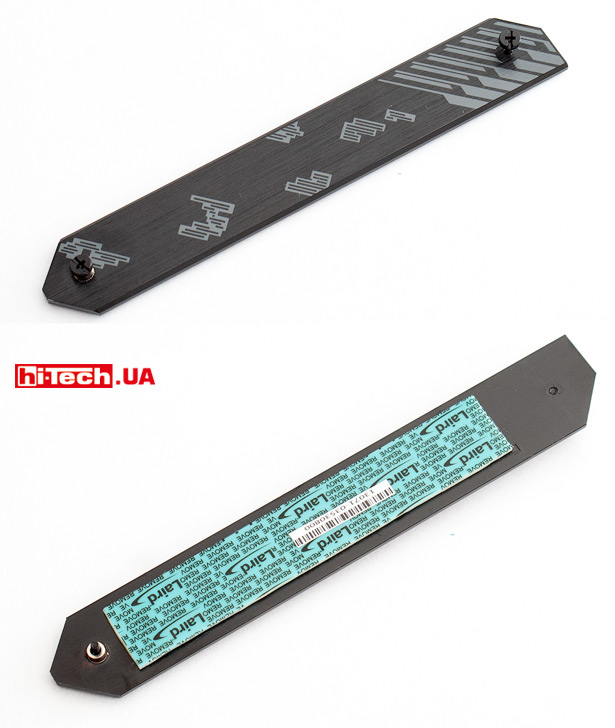
The heatsink will touch the chips and the M.2 drive controller through a special pre-installed thermal pad
Due to limited space on the board, the bottom M.2 drive will be placed directly under the graphics card. This proximity is not the best option, since the graphics card can additionally heat the SSD drive.
But in practice, our Samsung PM981 NVMe M.2 SSD, installed in the bottom connector and “covered” by the heatsink from the motherboard, “felt” just fine under the GTX 1070 video card without any hint of reaching critical temperatures.
For regular SATA drives, 4 connectors are available, located in the corner.
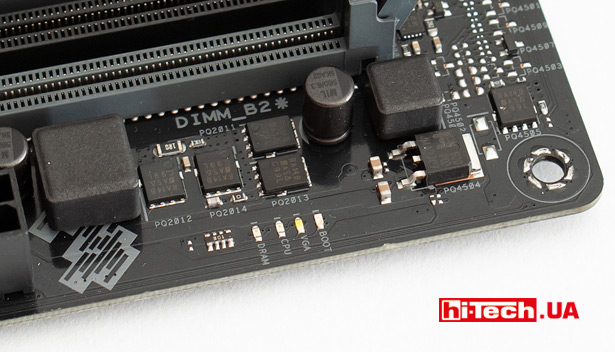
Several information diodes (Boot, VGA, CPU, DRAM) will indicate a possible reason if the system does not start
Realtek RTL8125B is used as a network controller with support for speeds of 2.5 Gb/s (2.5 times higher than usual)!
The board is very well prepared in terms of wireless connection capabilities.
A modern Intel Wi-Fi 6 AX200 adapter (2×2 Wi-Fi 6 (802.11 a/b/g/n/ac/ax)) is installed here. Antenna system included
We haven’t forgotten about the Bluetooth v5.1 wireless adapter.
Far from ordinary audio preparation is provided by the advanced Realtek ALC S1200A audio adapter, which is covered with a metal screen cover, special Japanese “audio capacitors” and electronic isolation of the audio path.
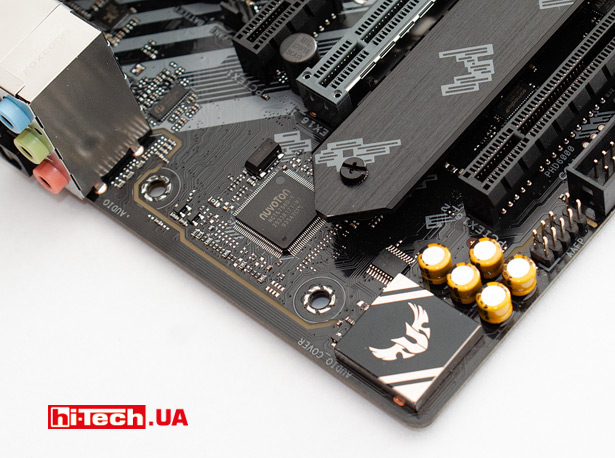
In total, the board has 4 headers for connecting processor and case fans.
Power subsystem – everything is serious here
If we compare the ASUS TUF Gaming B550M-Plus (Wi-Fi) with the previous generation ASUS TUF Gaming Plus boards based on the B450, many improvements can be seen even in the specifications.
For example, this is reflected in the increased number of M.2 connectors, USB ports, and the use of more advanced network and audio adapters.
But some changes are revealed only with a more detailed study.
The board has been significantly enhanced in terms of food.
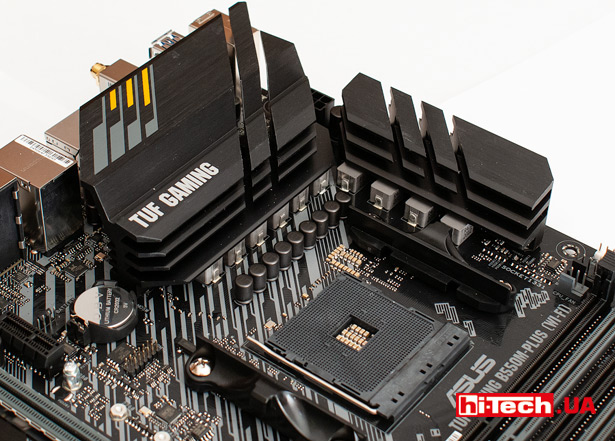
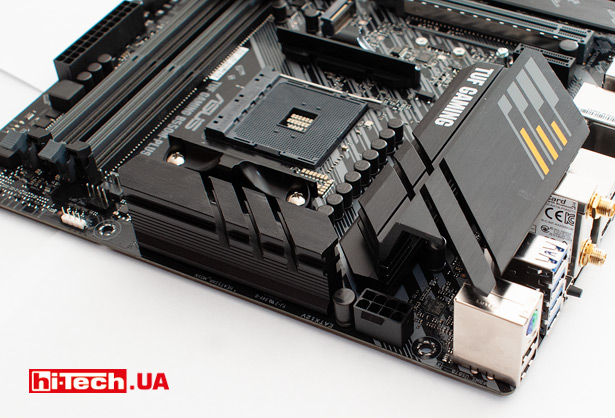
An 8+2-phase power supply circuit is used. In addition, the batteries received fairly massive cooling radiators.
All this means that the board is capable of “taking on board” even very powerful 12- and 16-core AMD Ryzen 9 processors without any problems.
At the same time, a larger margin is provided for both load and temperature for VRM chips, which provides additional margin when experimenting with overclocking.
By the way, the board does not seem to have built-in VRM temperature sensors. At the moment, diagnostic software is not able to recognize them, if they exist.
It must be said thatimprovement in the power system is not only a feature of the specificASUSTUFGamingB550 M-Plus (Wi-Fi), and the general trend for new boards based on B550.
Backlight
A line of LEDs about 6 cm long is located on the back of the board. The idea is that light will reflect off the case wall and also penetrate through the translucent section on the board.
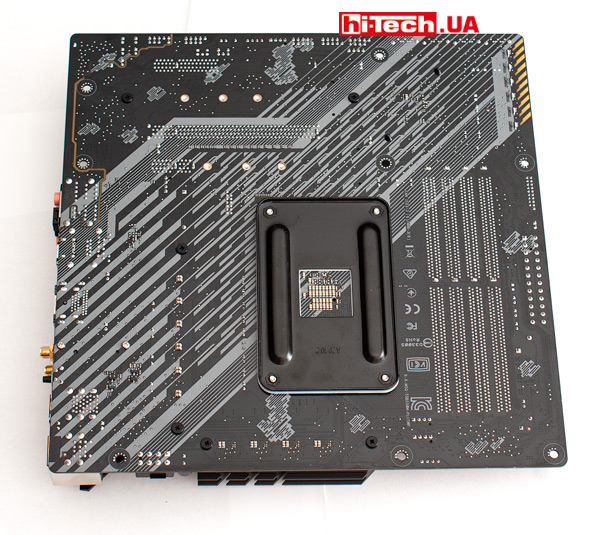
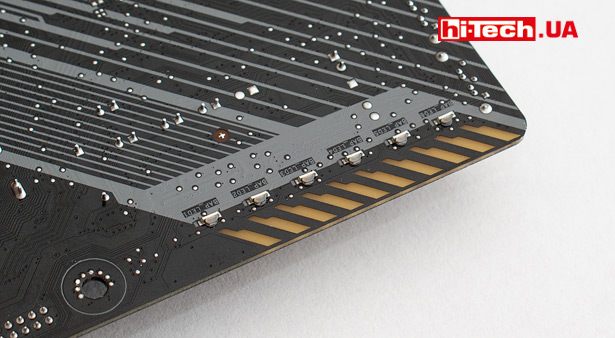
Backlight LEDs with lenses mounted on the back of the board
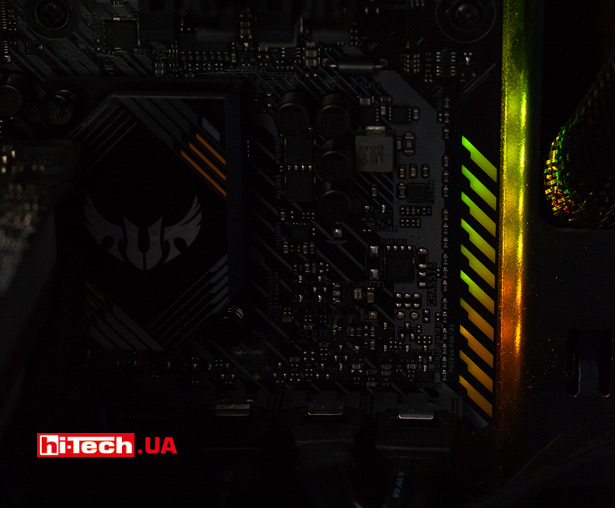
The resulting effect
You can also connect LED strips to ASUS TUF Gaming B550M-Plus (Wi-Fi).
There are three headers in total: one for “regular” 12 V RGB strips (max. current 3 A) and two for more modern pixel-addressable strips (WS2812B).
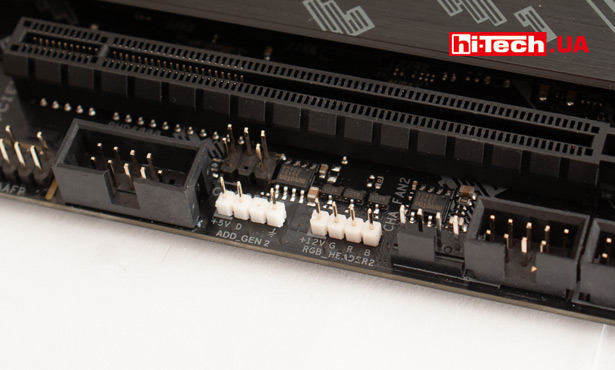
Control and selection of effects is carried out using the proprietary Armory Crate application.

Of course, it is possible to synchronize the backlight of various system components and tapes within the proprietary ASUS Aura Sync technology.
BIOS
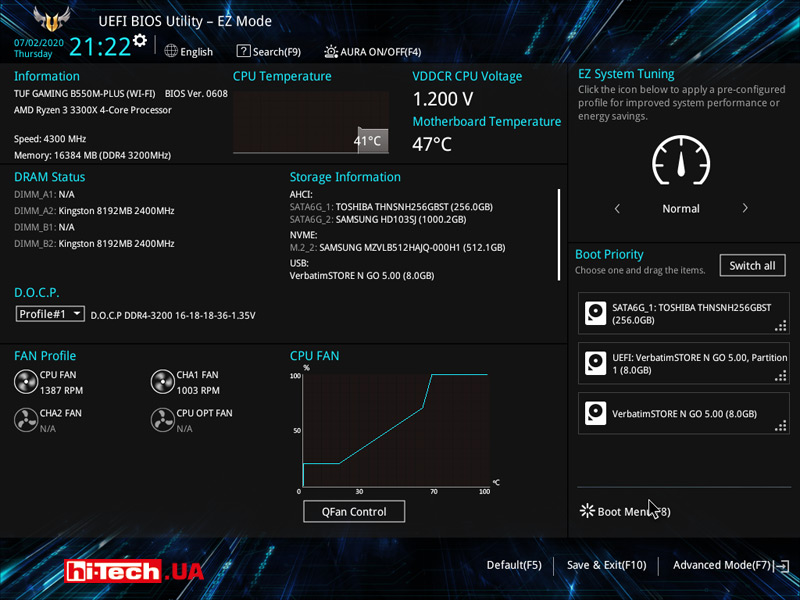
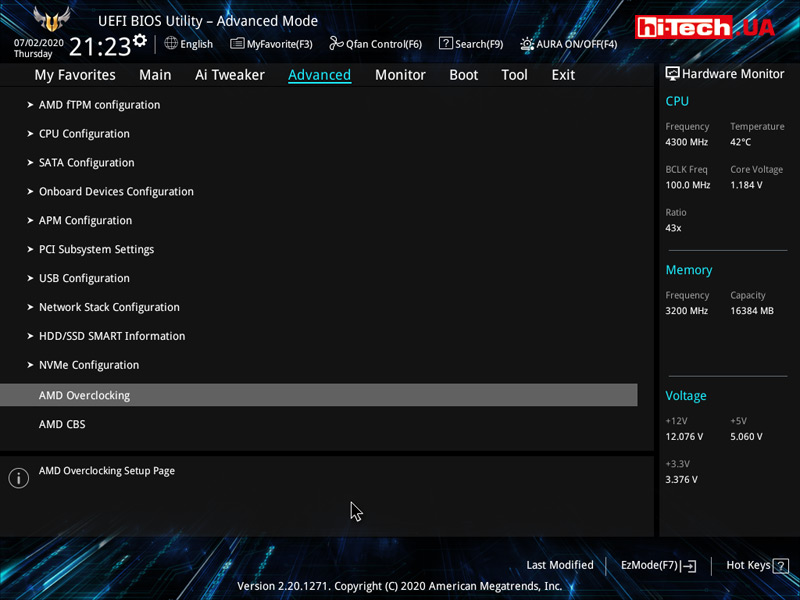
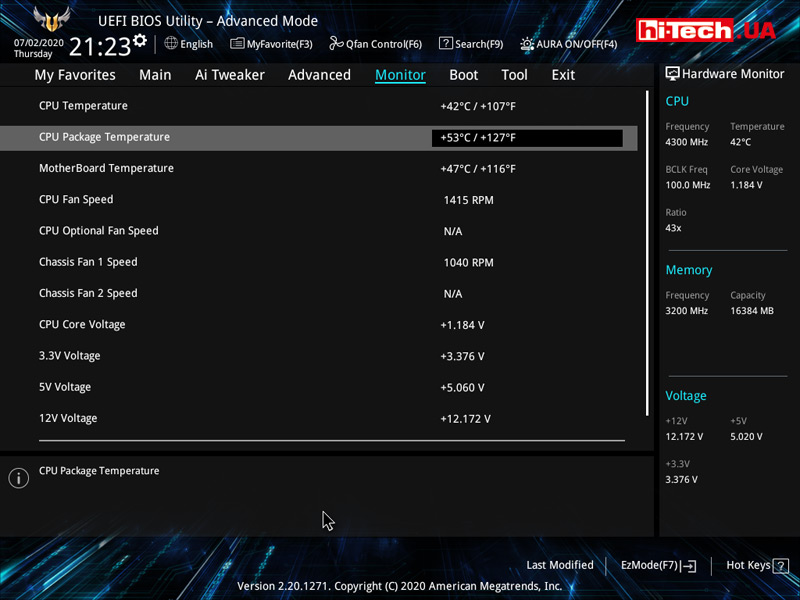
The design and organization of the BIOS is typical of ASUS motherboards of the last few years.
Initially, the user is provided with a text-graphic page where you can make a set of basic settings (selecting a boot device, slight overclocking, monitoring parameters, managing fan profiles, etc.).
This mode is more designed for beginners. A full set of settings becomes available after switching to a special Advanced mode.
-
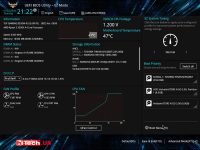
- BIOS ASUS TUF Gaming B550M-Plus (Wi-Fi)
-
- BIOS ASUS TUF Gaming B550M-Plus (Wi-Fi)

-
- BIOS ASUS TUF Gaming B550M-Plus (Wi-Fi)
-
- BIOS ASUS TUF Gaming B550M-Plus (Wi-Fi)
-
- BIOS ASUS TUF Gaming B550M-Plus (Wi-Fi)
-
- BIOS ASUS TUF Gaming B550M-Plus (Wi-Fi)
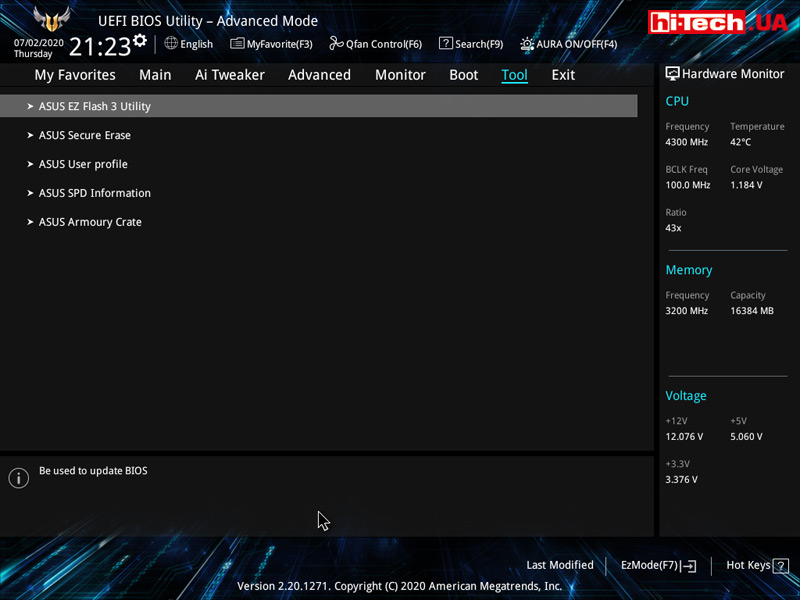
Quite unexpectedly, the very convenient ability to update the firmware via the Internet without the need to load the operating system disappeared somewhere.
Frankly, I used this function on ASUS boards all the time, but in this case, to update I had to download the BIOS image file to a USB flash drive.
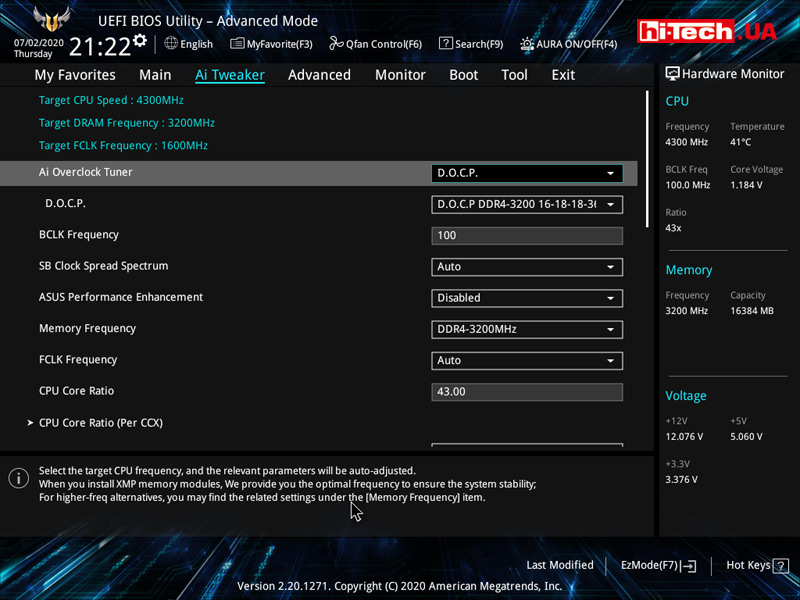
Most of the overclocking-related functions are located in a separate section of Ai Tweaker, but some overclocking-related features have also been placed in the Advanced section.
Conclusions
If you analyze the prices of motherboards based on the AMD B550 chipset, you will find that they are much more expensive than previous generation solutions with B450 chipsets.
Yes, this is partly due to the newness of AMD B550 systems. Such devices are just appearing on the market.
But this is largely due to the fact that AMD B550 boards have generally become much more advanced. And the presented ASUS TUF Gaming B550M-Plus (Wi-Fi) is no exception.
B550 motherboards have caught up with X570 in both price and capabilities.
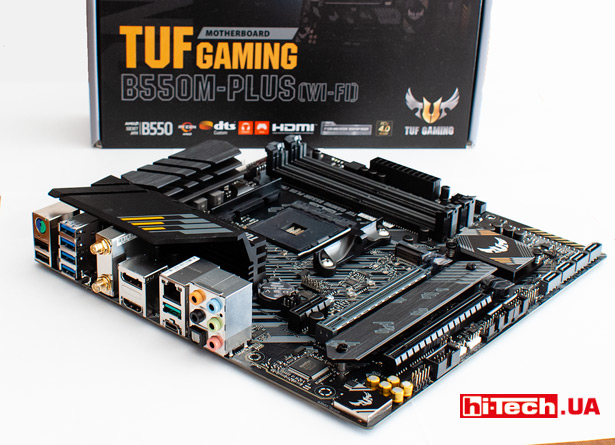
If you compare ASUS TUF Gaming B550M-Plus (Wi-Fi) with the previous generation ASUS TUF Gaming B450 boards, you will find numerous improvements in equipment (more modern network controller, more advanced audio chip, more M.2 connectors, M.2 heatsink in kit, etc.) and, no less important, a significant upgrade in terms of the power supply and cooling systems for VRM chips.
This ASUS TUF Gaming B550M Plus (Wi-Fi), despite being middle class, is suitable for building even very cool gaming PCs or workstations.
If you don’t have some kind of particularly extreme enthusiast platform in mind, then there’s not even much point in considering more powerful boards, say, the ASUS ROG Strix series
This ASUS TUF Gaming model will surely satisfy all your needs.
Due to the built-in Wi-Fi and Bluetooth adapters, digital optical audio output, ASUS TUF Gaming B550M-Plus (Wi-Fi) will also be an interesting option for multimedia systems.
At the time of publication, ASUS TUF Gaming B550M-Plus (Wi-Fi) costs $207. If you don’t need wireless adapters, you can save a lot by choosing the ASUS TUF Gaming B550M-Plus ($166).
| Key characteristics of ASUS TUF Gaming B550M-Plus (Wi-Fi) | |
| Socket: | AM4 |
| Chipset: | AMD B550 |
| Form factor: | Micro ATX |
| CPU power: | 8pin |
| RAM: | 4x DDR4 2133–4600 (OC) MHz |
| Storage drives: | 4x SATA3, 1x M.2 (with support for PCIe 4.0 x4 and SATA 3), 1x M.2 (with support for PCIe 3.0 x4 and SATA 3) |
| Sound: | 7.1 channel Realtek ALC1200 |
| Wired network: | Realtek RTL8125B 2.5 Gb/s |
| Wireless interfaces: | Intel Wi-Fi 6 AX200 (2×2 Wi-Fi 6 (802.11 a/b/g/n/ac/ax), Bluetooth 5.1 |
| Expansion slots: | 1xPCIe 4.0 x16, 1xPCIe 3.0 x16 (x4 support), 1x PCIe 3.0 x1 |
| USB: | USB 2.0 x 6 (4 ports in the form of pins on the board), USB 3.2 Gen1 x 6 (2 ports in the form of pins on the board), USB 3.2 Gen2 x 2 (one of them is USB-C)</ td> |
| Video outputs: | HDMI 2.1, DisplayPort 1.2 |
| Additional features: | Only AMD Ryzen 3000 and later processors are supported |
| Supplier: | ASUS Representative Office |
| Price: | $207 |
Rating:
+ decent power system
+ RGB backlight with contacts for connecting two types of LED strips
+ good overclocking capabilities
+ two M.2 slots
+ ability to update BIOS without processor and memory modules
+ network adapter 2.5 Gb/s
+ wireless adapters Wi-Fi, Bluetooth
+ SSD heatsink
- a cooling radiator is provided for an additional, not the main M.2 SSD drive
- the ability to update the BIOS via the Internet without loading the OS has disappeared (previously present on ASUS boards)
- quite high cost (a common feature of motherboards based on the AMD B550 chipset)
See also:

Don't miss interesting news
Subscribe to our channels and read announcements of high-tech news, tes




Samsung Galaxy Fold7: not a smartphone, not a tablet, something more
 0
0 
Samsung Galaxy Fold series of smartphones is notable for its folding design and large display. The new generation model had an even larger screen, advanced cameras, stronger hardware and improved ergonomics.
NVIDIA Blackwell – architecture with new capabilities for AI and content creation
0 
NVIDIA technologies that were previously only available to owners of professional graphics cards are now open to ordinary users. Let’s talk about the capabilities of the Blackwell architecture in the field of artificial intelligence and content creation.
Garmin Instinct Crossover – hybrid smartwatch costs $600 with AMOLED screen, flashlight and sapphire glass smart watches

Garmin Instinct Crossover has a 1.2-inch AMOLED display with RevoDrive analog hands covered with Super-LumiNova luminescent compound.
New EcoFlow with 288 Wh capacity weigh less than 3 kilograms accumulator

EcoFlow has introduced a new line of portable charging stations in Europe, the Trail series. This device has already been on sale in the US